
How to Make an Attendance Chart for Employees in Excel
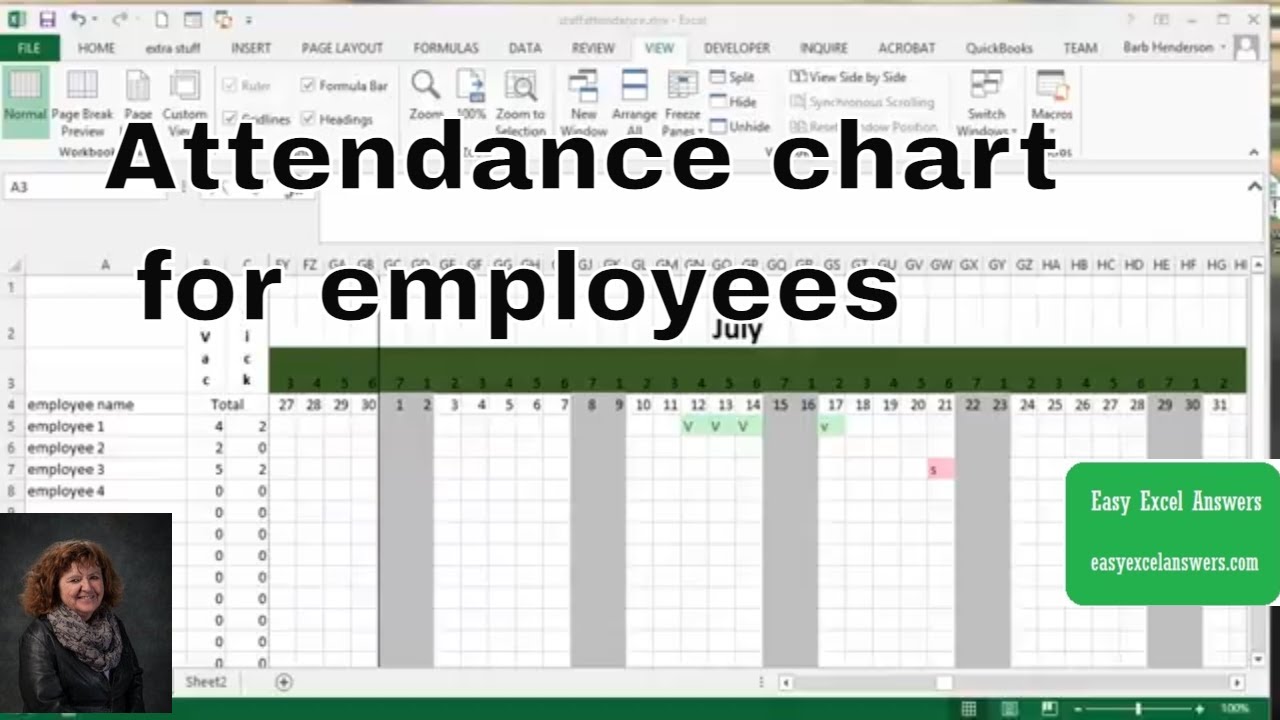
Step-by-Step Guide to Creating an Attendance Chart
Managing employee attendance is a crucial aspect of any organization. It helps to track and monitor employee work hours, identify attendance patterns, and make informed decisions about staffing and resource allocation. One effective way to manage employee attendance is by creating an attendance chart in Excel. In this article, we will guide you through the process of creating an attendance chart for employees in Excel.
To start creating an attendance chart, you will need to set up a basic table in Excel with columns for employee names, dates, and attendance status. You can use a simple 'Present' or 'Absent' status or create a more detailed system with codes for different types of absences, such as 'Vacation' or 'Sick Leave'. Once you have set up your table, you can start entering data for each employee.
Customizing and Refining Your Attendance Chart
To make your attendance chart more effective, you can use Excel formulas and functions to automatically calculate attendance percentages, track attendance patterns, and identify trends. For example, you can use the 'SUMIF' function to calculate the total number of days an employee has been absent or the 'AVERAGEIF' function to calculate an employee's average attendance percentage. You can also use conditional formatting to highlight cells that meet certain criteria, such as employees who have been absent for more than a certain number of days.
By following these steps and customizing your attendance chart to meet your organization's specific needs, you can create a powerful tool for managing employee attendance. With an attendance chart in Excel, you can easily track and monitor employee attendance, identify attendance patterns, and make informed decisions about staffing and resource allocation. Whether you are a small business owner or a large corporation, an attendance chart in Excel can help you to streamline your attendance management process and improve employee productivity.